I remember the first time an engineer Slacked me a screenshot of an AI assistant proposing a 200‑line refactor. I stared at it like a cat considering a bathtub: curious, cautious, and thinking “this will end in water.” What changed my mind wasn’t a flashy demo. It was a sequence of boring, measurable safeguards that turned “AI magic” into an engineering discipline we could trust.
This guide is what I wish I had then: a field manual for engineering managers introducing AI into dev workflows. It blends journal‑like notes (“I noticed…”) with hard guidance (guardrails, evaluations, policy). The goal isn’t to convince you that AI is good; it’s to show you how to use it safely so your team ships faster with fewer regressions and fewer 2 a.m. incidents.
If you want the 10,000‑foot view before we get into the weeds, take a lap through AI Automation Pros and Cons, the SDLC perspective in How AI Is Reshaping the SDLC, and a pragmatic overview in AI Coding Assistants: Benefits, Risks, Adoption. We’ll keep linking deeper as we go.
Why “Now” Looks Different (Manager Lens)
I noticed two shifts that matter for managers:
-
Repo‑aware assistance moved in‑IDE. Engineers aren’t copy‑pasting from random blogs; they’re pulling patterns from our own code, which reduces license and drift risks.
-
AI outputs can be constrained and evaluated. We’re not stuck with free‑form prose; we can demand schema‑fixed plans that pass types, tests, lints, and policy checks before anything ships.
That changes the conversation from “Should we use AI?” to “Where is it safe and valuable to start?” For selection heuristics, the pros/cons and qualification matrix in AI Automation Pros and Cons is a helpful anchor.
The Baseline: Shared Language and Guardrails
Before pilots, I write down three definitions that everything else hangs off:
- Assistant: in‑IDE completion, explanations, and repo chat.
- Agent: plans → calls tools → proposes diffs → gathers feedback.
- Autonomy tier: Assist, Semi‑auto, Auto. The higher the tier, the stronger the guardrails.
We also pick “non‑negotiables” we won’t ship without: typed interfaces, lints pass, tests pass, no secrets in prompts, provenance for non‑trivial snippets, and human review for high‑impact changes. If you need an example of how these come together, the quality‑oriented playbook in How AI Helps Maintain Code Quality and Reduce Bugs is a practical template.
Step 1: Walk the Floor (Map Workflows and Pain)
I spend a week in observation mode. What are engineers actually doing, not what we think they’re doing? Common candidates:
- Boilerplate and glue code: route scaffolds, DTOs, API clients.
- Documentation: docstrings, ADR templates, changelogs.
- Tests: unit seeds, edge‑case enumeration, property checks.
- Search/navigation: “Where does X happen?” across repos.
- Hygiene: dead code removal, consistent naming, error handling.
Score each by risk, volume, and reversibility. Low‑risk, high‑volume, reversible tasks are your pilot garden. This mirrors the selection lens in AI Automation Pros and Cons.
Step 2: Choose the First Slice (And Make It Boring)
I noticed that flashy demos cause scope creep. Instead, pick something narrow:
- Generate docstrings from function signatures.
- Propose tests for changed code paths.
- Scaffold typed API clients from OpenAPI.
Success criteria should be mechanical: types pass, lints pass, tests pass, coverage increases, zero secrets in prompts. Tie these to your CI so wins are visible.
If your pilot needs rooted context (design docs, ADRs, standards), ground the assistant with retrieval. The intros to RAG for SaaS and Vector Databases explain how to build a safe context layer.
Step 3: Constrain Outputs and Fail Closed
AI becomes reliable when you constrain what it’s allowed to do and how it must prove success. Free‑form answers are friendly; schema‑fixed plans are shippable.
What I implement:
- Schema‑constrained proposals. Refactor plans and test specs must match Zod schemas.
- Path allowlists. Agents can only touch certain directories in pilots.
- Idempotent actions. Every tool is safe to retry; no irreversible side effects.
- Redaction. No secrets in prompts; vault‑based injection only.
For an end‑to‑end pattern where agents plan → edit → verify → open a PR, see Agentic Workflows for Developer Automation. We’ll borrow its ideas without taking on full autonomy yet.
Step 4: Build an Evaluation Harness (Before You Scale)
This is the lever most teams skip. I noticed that without evaluations, every discussion is vibes. With evaluations, you’re running experiments.
Components I standardize:
- Golden prompts: representative tasks and expected outcomes.
- Scoring: groundedness, policy compliance, test pass rate, review accept rate.
- Regression gates: run on PRs and before prompt/model updates.
Here’s a compact TypeScript harness that we run locally and in CI. It scores AI‑proposed refactors against golden cases and enforces our bars.
// tools/evals/runEvals.ts
import { z } from "zod"
import { execSync } from "node:child_process"
import fs from "node:fs"

const Edit = z.object({ filePath: z.string(), rangeStart: z.number().int().nonnegative(), rangeEnd: z.number().int(), replacement: z.string() })
const Plan = z.object({ rationale: z.string(), edits: z.array(Edit).min(1) })

type Case = { name: string; input: unknown; plan: unknown; expect: { typecheck: boolean; tests: boolean; lint: boolean } }

const cases: Case[] = JSON.parse(fs.readFileSync("./tools/evals/cases.json", "utf8"))

const applyPlan = (planJson: unknown) => {
  const parsed = Plan.safeParse(planJson)
  if (!parsed.success) return { ok: false, msg: "Invalid plan schema" }
  const backups: Array<{ p: string; c: string }> = []
  try {
    for (const e of parsed.data.edits) {
      const o = fs.readFileSync(e.filePath, "utf8")
      backups.push({ p: e.filePath, c: o })
      const u = o.slice(0, e.rangeStart) + e.replacement + o.slice(e.rangeEnd)
      fs.writeFileSync(e.filePath, u, "utf8")
    }
    execSync("pnpm -s typecheck", { stdio: "inherit" })
    execSync("pnpm -s test", { stdio: "inherit" })
    execSync("pnpm -s lint", { stdio: "inherit" })
    return { ok: true, msg: "passed" }
  } catch (err) {
    for (const b of backups) fs.writeFileSync(b.p, b.c, "utf8")
    return { ok: false, msg: "checks failed; reverted" }
  }
}

let passed = 0
for (const c of cases) {
  // In practice, call your model/agent here to get c.plan
  const result = applyPlan(c.plan)
  if (result.ok) passed++
  console.log(`[${result.ok ? "PASS" : "FAIL"}] ${c.name} – ${result.msg}`)
}

if (passed !== cases.length) process.exit(1)
We store golden cases in version control, and we run this suite whenever prompts or models change. This mirrors the evaluation guidance in AI + SDLC.
Step 5: Wire Guardrails into CI (Gates, Not Feelings)
Evaluations catch regressions; CI gates prevent bad merges. What I add first:
- License/provenance checks. No incompatible licenses; require citations for significant snippets (see the ethics angle in The Ethics of Shipping AI‑Generated Code).
- Secrets scanning in prompts and diffs.
- Path allowlists for auto‑applied edits in pilots.
- “AI change” checklists in PR templates, aligned with Conventional Commits.
When these are visible in the PR, reviewers develop a shared instinct for what “good AI use” looks like.
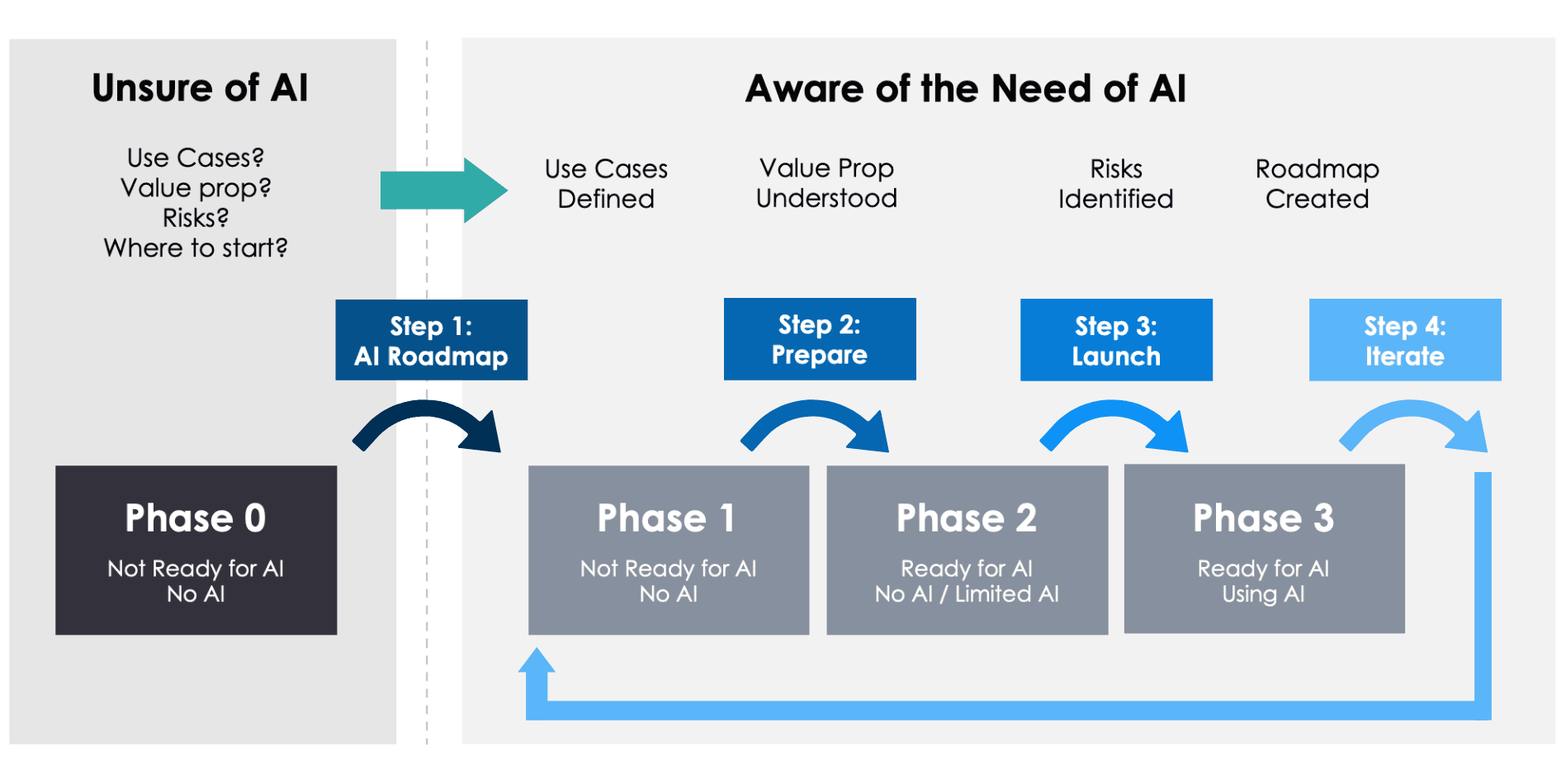
Step 6: Rollout in Tiers (Assist → Semi‑auto → Auto)
I’ve learned that autonomy is earned. My default rollout sequence:
-
Assist: IDE and repo chat propose drafts, diffs, and tests; humans approve. Great for onboarding and hygiene tasks.
-
Semi‑auto: low‑risk changes (format, trivial refactors, doc updates) auto‑apply behind flags with instant rollback.
-
Auto: only for bounded, reversible tasks with strong monitoring. Think “add missing JSDoc headers” or “bump patch versions with changelog entries.”
This maps to the autonomy model in AI + SDLC. If you want to wire an agent loop with streaming progress, the patterns in Agentic Workflows are a good blueprint.
Step 7: Data Hygiene and Retrieval (Ground Truth or Bust)
I noticed most hallucinations vanish when you ground to your own sources. Build a small retrieval layer:
- Index ADRs, standards, and key modules.
- Keep embeddings fresh after major merges.
- Add metadata filters (service, domain, owner) and respect access controls.
References: RAG for SaaS and Vector Databases. If you’re building UI flows, the walkthroughs in LangChain + Next.js Chatbots and Document Q&A are handy.
Step 8: Provider Strategy (Avoid Lock‑in, Optimize for Change)
AI evolves fast; your policy should assume drift. I keep an abstraction layer (or gateway) and multiple provider configs. Compare trade‑offs with OpenAI vs Anthropic vs Gemini. Pin model versions for sensitive tasks, and canary updates against evaluations.
Step 9: Metrics That Matter (Quality, Speed, Adoption, Cost)
To prevent “AI theater,” I track real outcomes:
- Quality: escaped defect rate, groundedness in reviews, security finding rate.
- Speed: PR lead time, change failure rate, MTTR.
- Adoption: assistant usage, suggestion accept rate, time saved per role.
- Cost: per‑change inference spend, evaluation minutes, review overhead.
These align with the measurement sections across AI Coding Assistants and AI + SDLC.
Step 10: Change Management (Culture Eats Prompts)
The most surprising failure mode I’ve seen is social. People will quietly stop using tools that feel risky or slow. To counter that:
- Start with volunteers and champions; publish wins and failures.
- Keep latency low. “Fast and wrong” loses trust; “fast and gated” earns it.
- Pair new hires with repo‑aware assistance and real reviews. Skills matter. See the role guidance in AI + SDLC.
- Turn docs into Q&A. If it’s not discoverable, it doesn’t exist - use the approach in Document Q&A.
Story from the Trenches: The Incident That Changed Our Policy
I noticed a spike in “minor” prod defects after we introduced AI‑assisted refactors. None were catastrophic, but they eroded trust. Our postmortem found a pattern: proposals were structurally correct but missed contract nuances (error codes, pagination, feature flags). We built a small check: if a diff touched a handler, the agent had to produce a test that asserted contract behavior for success and failure paths. CI blocked merges without it. Defects dropped; review speed didn’t.
The ethics angle mattered, too. We started requiring provenance for any snippet over a small threshold. No source? No merge. If this resonates, the deeper rationale is in The Ethics of Shipping AI‑Generated Code.
Snippet: PR Gate for AI‑Suggested Changes
Here’s a tiny gate that forces accountability when a PR includes an AI‑authored commit. It’s intentionally simple - adapt to your platform.
// tools/ci/aiChangeGate.ts
import cp from "node:child_process"

const getCommitMessages = () => cp.execSync("git log --pretty=%s origin/main..HEAD", { encoding: "utf8" }).split("\n").filter(Boolean)

const requiresGate = getCommitMessages().some((m) => /\bAI\b|\bassistant\b|\bagent\b/i.test(m))
if (!requiresGate) process.exit(0)

try {
  cp.execSync("pnpm -s typecheck", { stdio: "inherit" })
  cp.execSync("pnpm -s test", { stdio: "inherit" })
  cp.execSync("pnpm -s lint", { stdio: "inherit" })
  console.log("AI change gate passed")
} catch (e) {
  console.error("AI change gate failed")
  process.exit(1)
}
Tie this to a PR check and your “AI change” Conventional Commit footer. It’s not bulletproof, but it normalizes the idea that AI‑suggested code must clear explicit bars.
Pitfalls and Smell Tests
Pitfalls I’ve seen (and the smell tests I use):
- Demo‑driven scope creep. Smell: “We’ll do everything by Q4.” Fix: one workflow, one tool, one gate.
- No evaluations. Smell: “It looked good in staging.” Fix: golden datasets and PR gates.
- License vagueness. Smell: “It’s probably fine.” Fix: CI license scan and citation requirement.
- Secret leakage. Smell: “We pasted a token to see if it works.” Fix: redaction and vault injection.
- Vendor lock‑in. Smell: “We can’t switch models.” Fix: gateway/abstraction, multi‑vendor configs, and the comparison in OpenAI vs Anthropic vs Gemini.
The Manager’s Checklist (Printable)
- Define autonomy tiers and non‑negotiables; publish them.
- Pick one low‑risk, high‑volume workflow for the pilot.
- Constrain outputs to schemas; allowlist paths; redaction by default.
- Build evaluations and regression gates; run on PRs and before updates.
- Wire CI gates: provenance/license, secrets scanning, tests/types/lints.
- Add retrieval to ground answers; keep embeddings fresh.
- Measure outcomes (quality, speed, adoption, cost) and publish a monthly scorecard.
- Start with Assist; graduate to Semi‑auto; cautiously add Auto.
- Invest in culture: champions, fast UX, real reviews, and well‑lit runbooks.
- Keep switching costs low; pin models; canary and roll back.
Frequently Asked Questions
Will AI replace my developers?
No. It changes the distribution of work. AI takes undifferentiated heavy lifting; your team spends more time on product logic and system design. The roles evolve as outlined in AI + SDLC.
Isn’t this just more process?
It’s the minimum process to be safe. Guardrails let you move faster without regret. If it feels heavy, reduce scope, not controls.
How do I show ROI?
Start with the four buckets: quality, speed, adoption, cost. Compare pilot vs control over a month. The metrics guidance in AI Coding Assistants is a good baseline.
What about compliance?
Encode policies as code: license checks, PII redaction, data residency routing. Document your controls and show they fail closed. The ethical framing in The Ethics of Shipping AI‑Generated Code helps you explain decisions to auditors and execs.
Closing: The Journal Entry I Keep Rereading
I noticed that the teams that win treat AI as a disciplined teammate. They define what “done” means, they pin versions, they measure drift, and they never rely on vibes to ship code. When something breaks, they learn and encode the lesson into prompts, tools, or gates. It’s unglamorous - and it compounds.
If you take nothing else: pick one workflow, write the gate, run the evals, and publish the scorecard. You’ll earn trust with every safe, boring success, and that buys you the right to try bolder ideas later.
Want to go deeper on the mechanics? Build an agent loop with Agentic Workflows, tighten your quality bars with How AI Maintains Code Quality, and ground your answers with RAG for SaaS.